

 Full manual PDF


Preparation before setup
Click the button below and read the information on the following page.
Application software installation
The user is responsible for providing the following items before using this product:
-
Smartphone or tablet (Supported OS: Android 10.0 or higher; iOS 14.0 or higher.
For the latest compatibility information, refer to the website at
https://www.daikinthai.com/product/aircreator/compatible/en .) - Internet line and communicating device (Modem/router or similar device)
- Wireless LAN access point
-
Application (free) (application version 1.0 higher is needed to control this product)
For details on the installation method for the application, please see below.
Installation method for the application
For Android phones
- Scan the QR code.
- Follow the on-screen instructions for installation.
For iOS phones (iPhones)
- Scan the QR code.
- Follow the on-screen instructions for installation.
Close
Setting
Connect the wireless LAN connecting adapter to your home network.
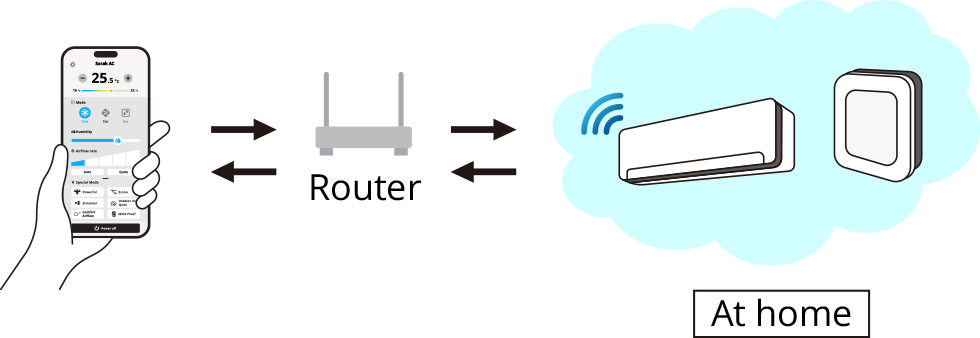
- The wireless LAN connecting adapter will communicate with the smart devices in your home network via a modem, router, or a similar device.
There are 3 options for connecting the wireless LAN connecting adapter to your smartphone or tablet:
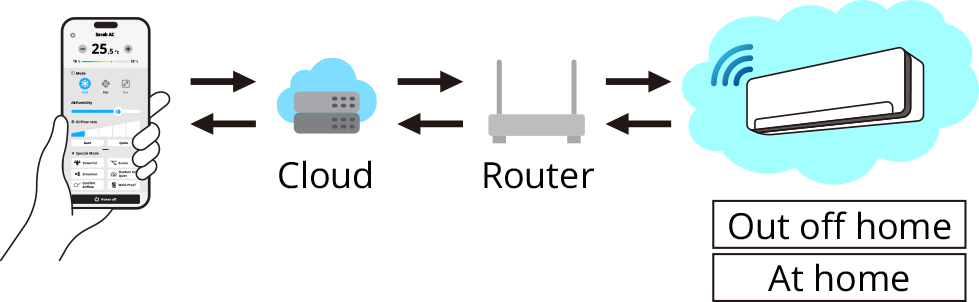
Method 1: Online mode – Using the internet
The customer can control the device from anywhere, even when they are outside their home, by using the internet.
Method 2: Offline mode – Access point connection (AP connection)
In case the customer does not have Wifi router at home, they can still control a single* device via a direct connection.
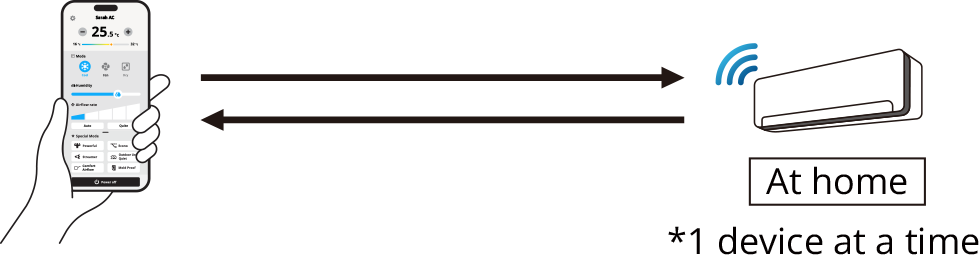 Remark: This connection also be used for the first time pairing.
Method 3: Offline Mode using a router on your home network
In case there is an internet problem, the customer can still control their devices using Offline mode via a local network.
 ATTENTION
-
For initial connect the wireless LAN adapter after turn on the circuit breaker, the system will be ready. Please wait a minute until you hear a beep sound.
After that, you can connect the wireless LAN adapter. -
If you want to reconnect the wireless LAN adapter after it has been connected, please check the wireless LAN connecting adapter lamp on the indoor unit each time you reconnect it.
If the lamp is not blinking/not light, press Wifi switch at 1 time on the indoor unit display and follow the steps of each methods.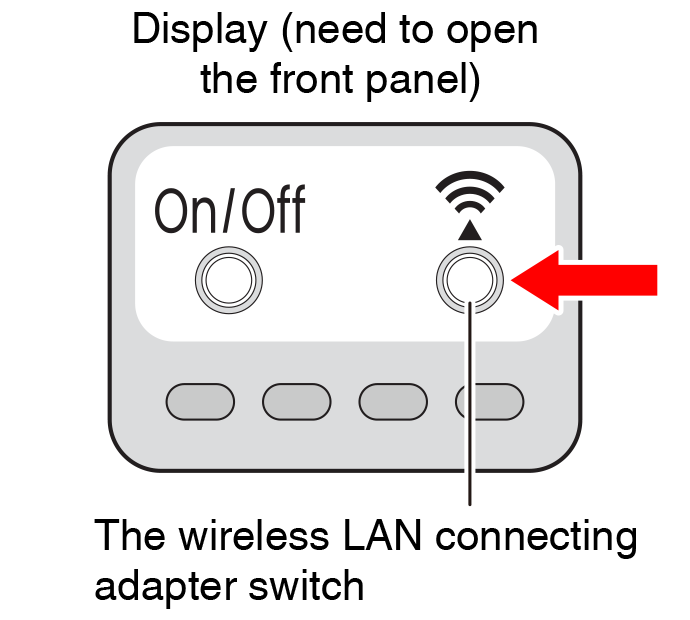
For more information, Frequently Asked Questions, and the latest details about installation of the wireless LAN connecting adapter and applicable units, refer to the website.
Close
Information
ATTENTION
- Turn off the air conditioner before setting up wireless connection.
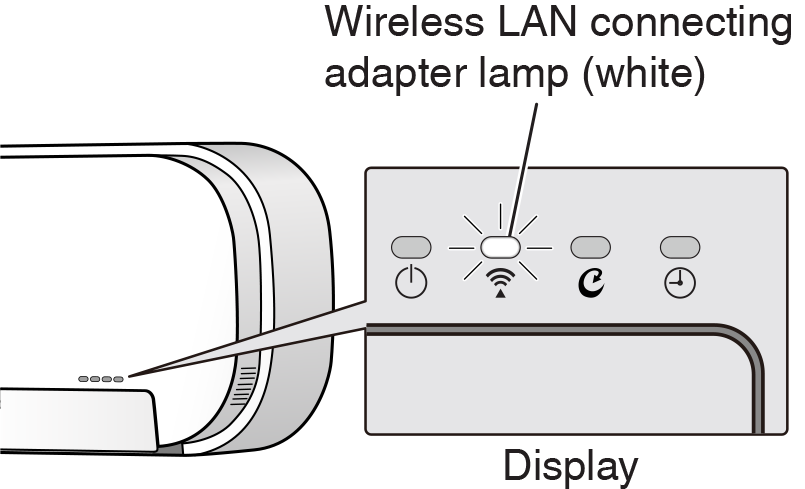
Prior to setting up, please make sure your device is ready to connect. You may refer to the indoor unit lamp table for guidance.
Check the indoor unit lamp.
| Wireless LAN connecting adapter lamp | Status |
|---|---|
| Blinks for every 1 second |
|
| No blinking/no light |
|
| Lamp stays lit |
|
Close
