
 Full manual PDF


Resetting connection setting to factory defaults
Click the button below and read the information on the following page.
 ATTENTION
- When the device is reset, user account and wireless LAN connection settings will be changed back to the factory defaults.
To reset
- Turn off the air conditioner before setting up wireless connection.
-
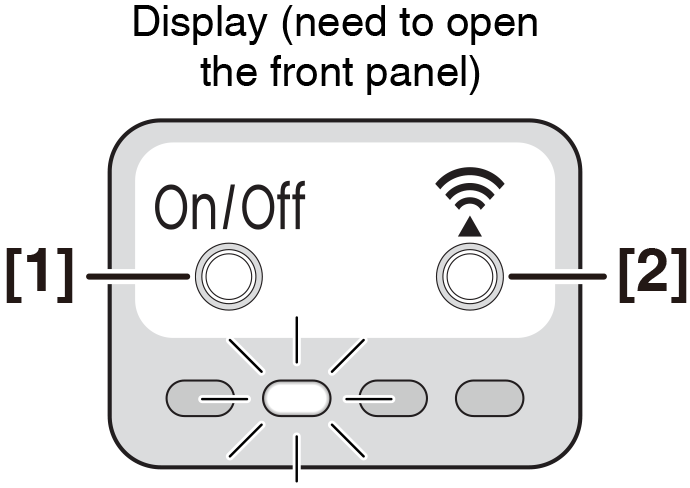
While operation is stopped, press [1] the On/Off switch and press [2] WiFi switch, hold the button for 5 seconds.
- The wireless LAN connecting adapter lamp (white) blinks for every 1 second.