

 Full manual PDF



-
AIR CARD Scheduling Operations
An AIR CARD is used to control the air conditioner or room systems, make using your device even more enjoyable.
 ATTENTION
- If you find that some functions cannot be used, please update the application to the latest version.
AIR CARD Scheduling Operations
On the setting schedule page.
To set
- Tap [1] [Where] on the screen for select the device area. (Fig. 8)
-
Tap [2] [AIR CARD] on the screen. (Fig. 8)
- The AIR CARD theme list will be appear.
-
Select the AIR CARD theme. Refer [3] on Fig. 8.
-
The operation card to open the controller page.
* The picture may be changed.
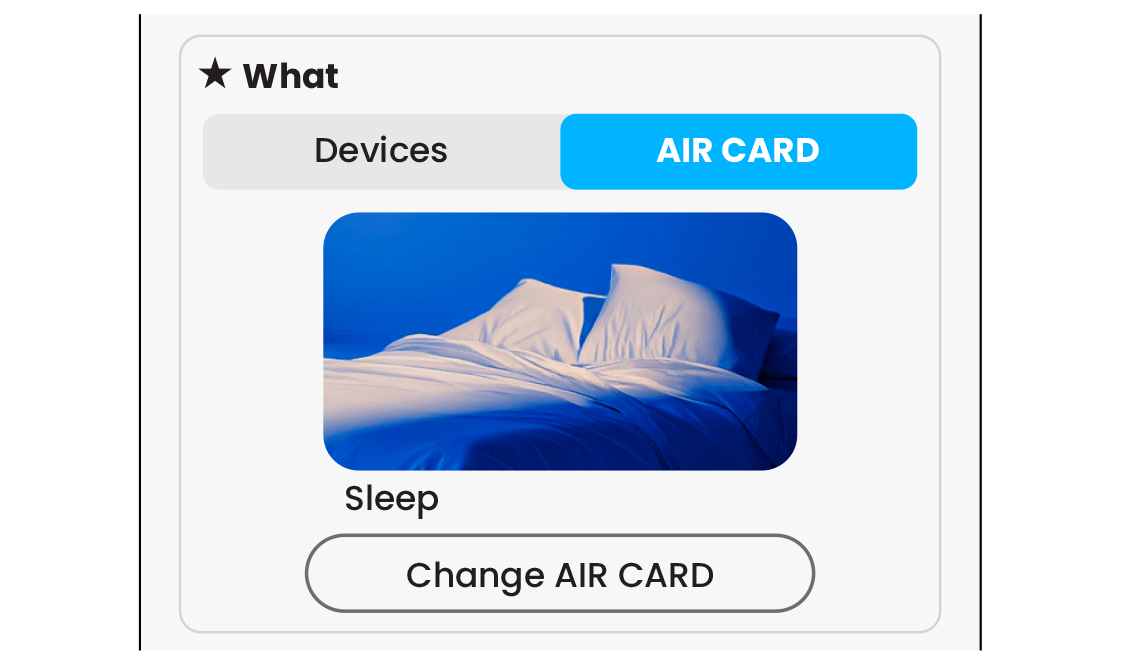
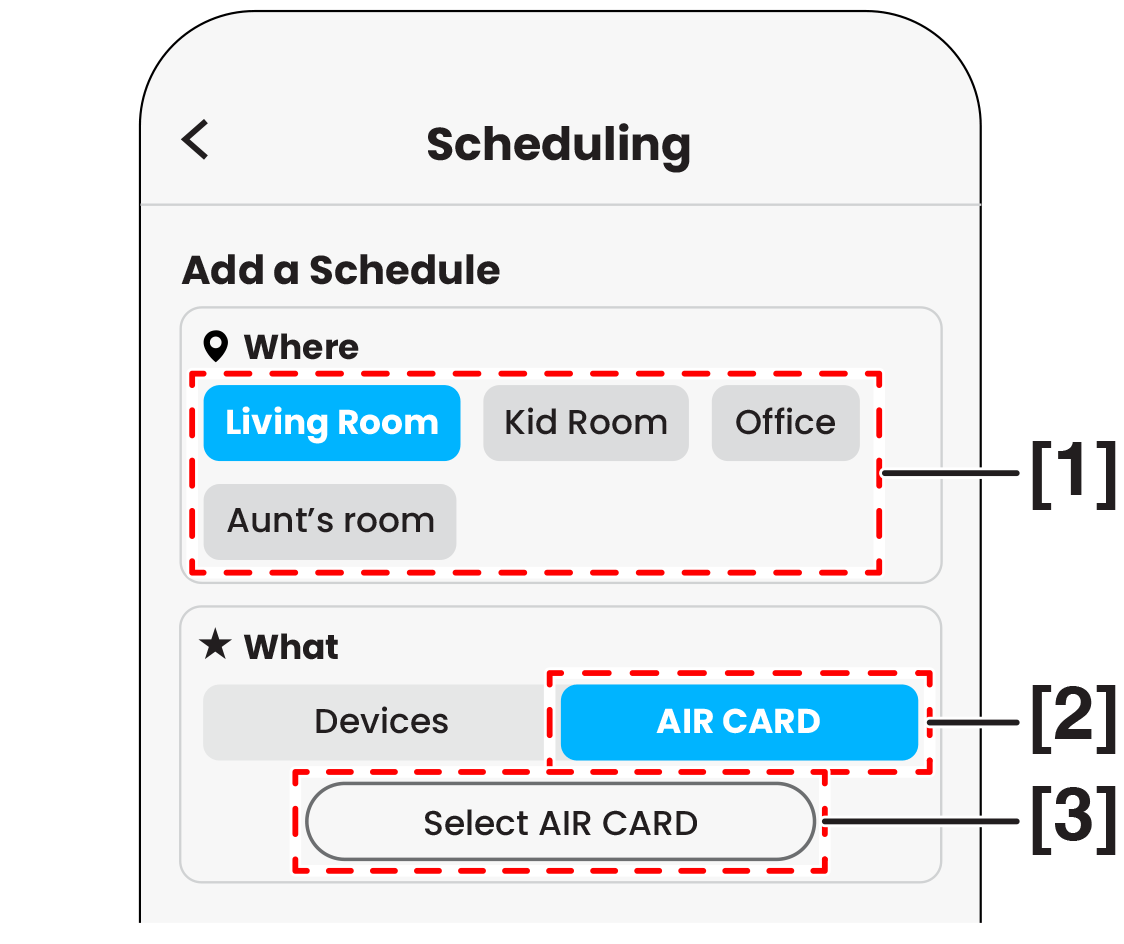 Fig. 8
 -
The operation card to open the controller page.
-
Tap [4] [When] for set the weekly schedule and then tap [5] [
 ] for set the time. (Fig. 9)
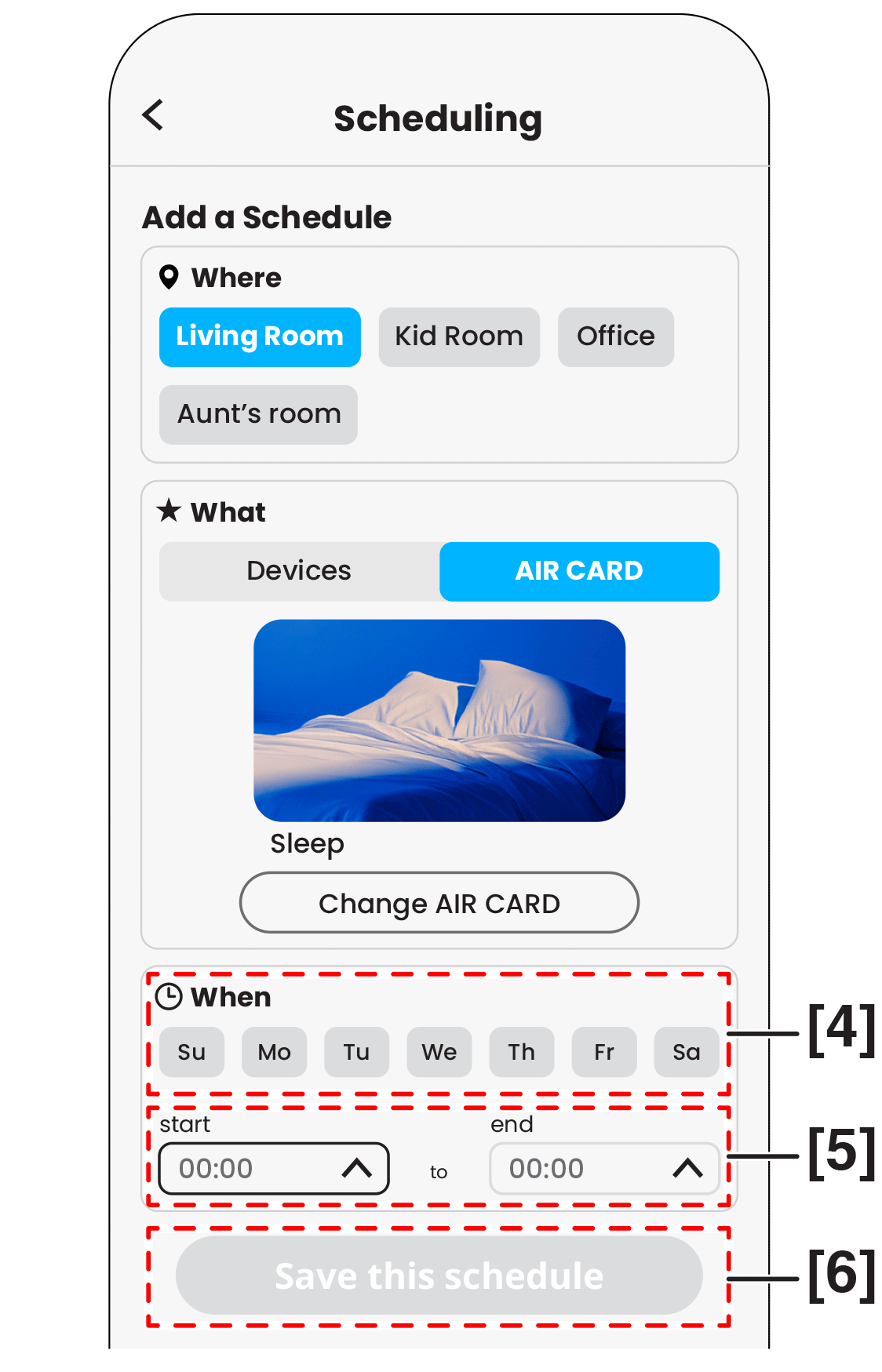 Fig. 9
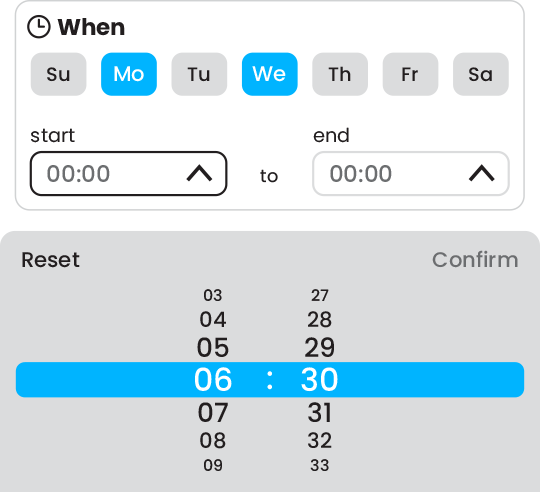 Example
-
After you set the time finished, the save schedule button [6] appear with a color
[ ] , please tap it for save the schedule. (Fig. 9)
- The schedule will be appear on the schedule page.
NOTE
After saving a schedule, it will appear on the schedule page.
- Tap a device card to view all its schedules.
-
Tap [1] the toggle switch to activate or inactivate the schedule. (Fig. 10)
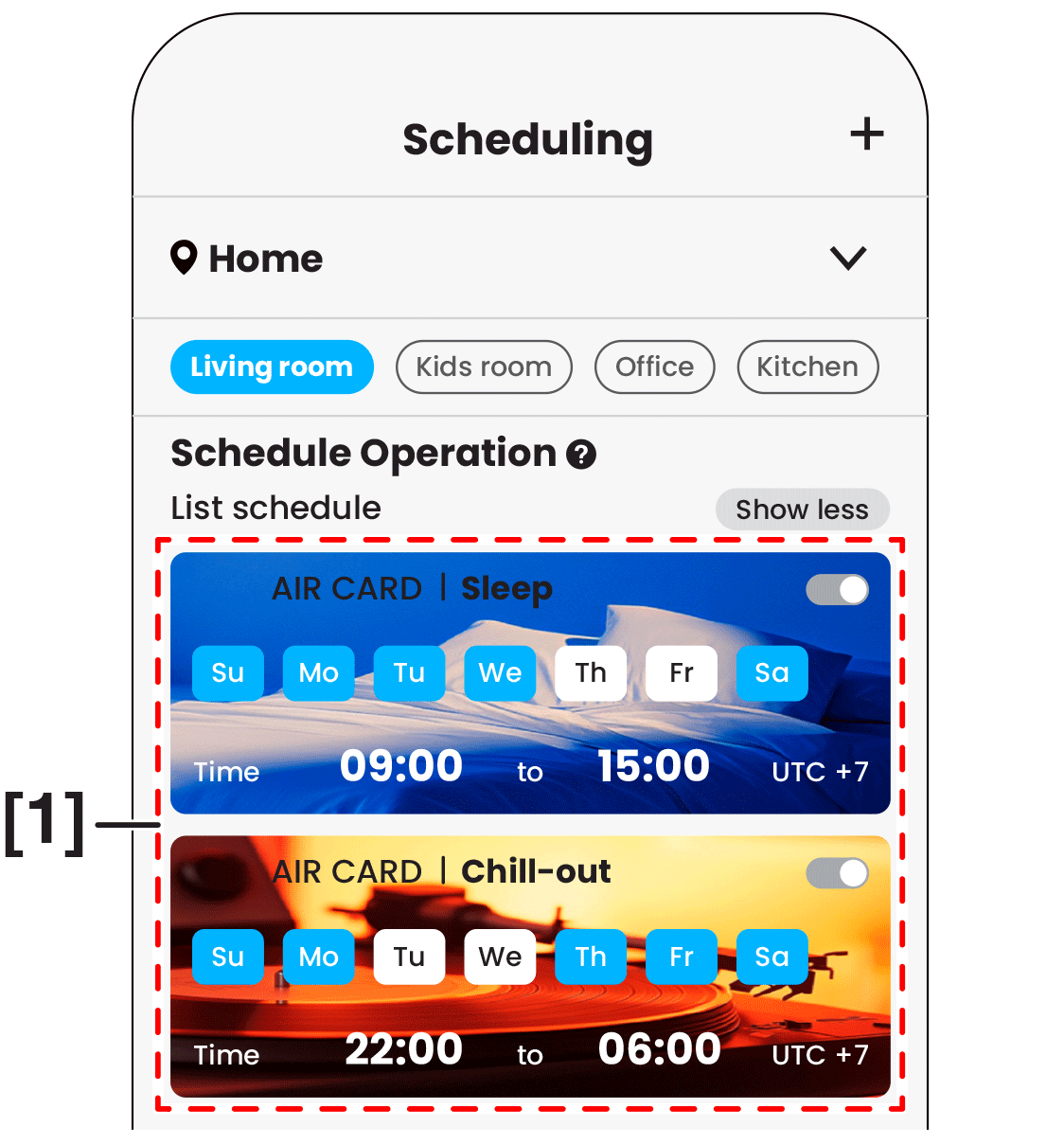 Fig. 10
Close
To cancel scheduling
-
Tap [1] on the screen to left for turn off the schedule. (Fig. 11)
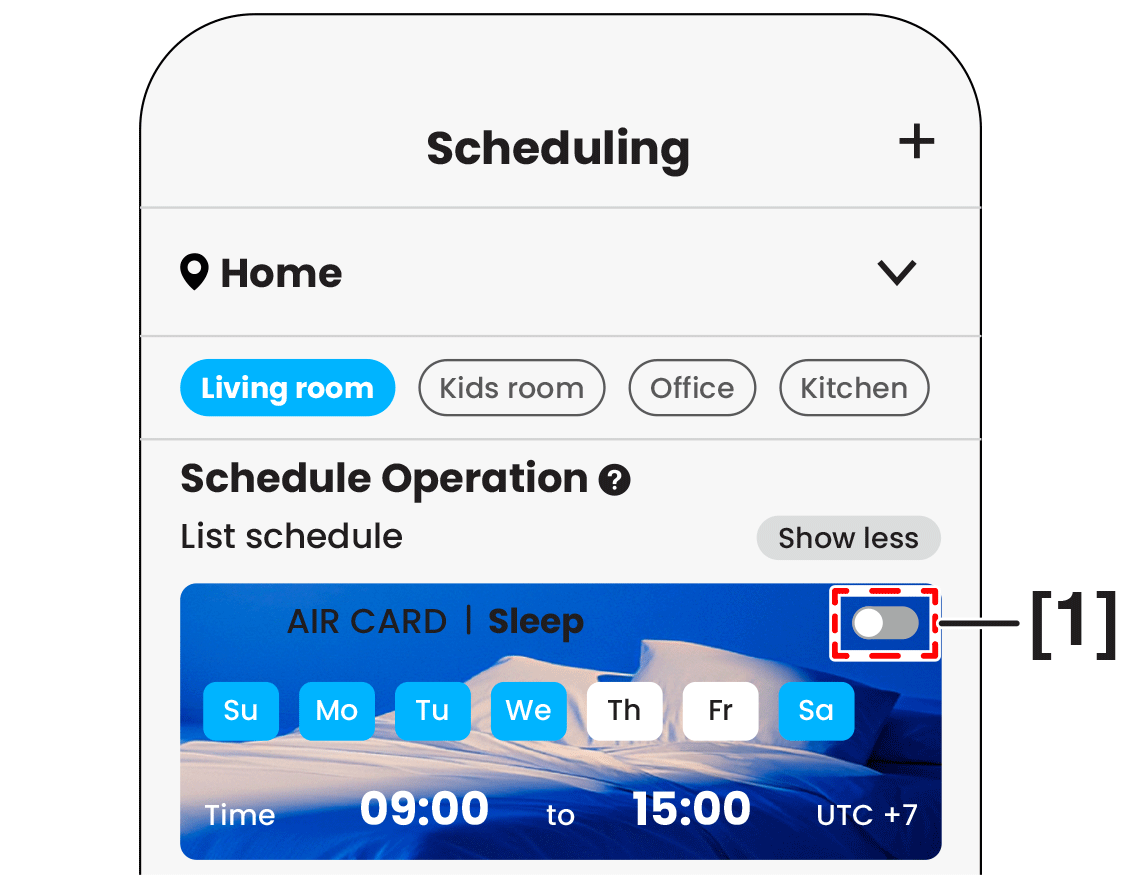
Fig. 11
Close
To delete scheduling
-
Swipe left [1] to delete schedule (Fig. 12) or tap [2] Delete this schedule on the screen to delete it. (Fig. 13)
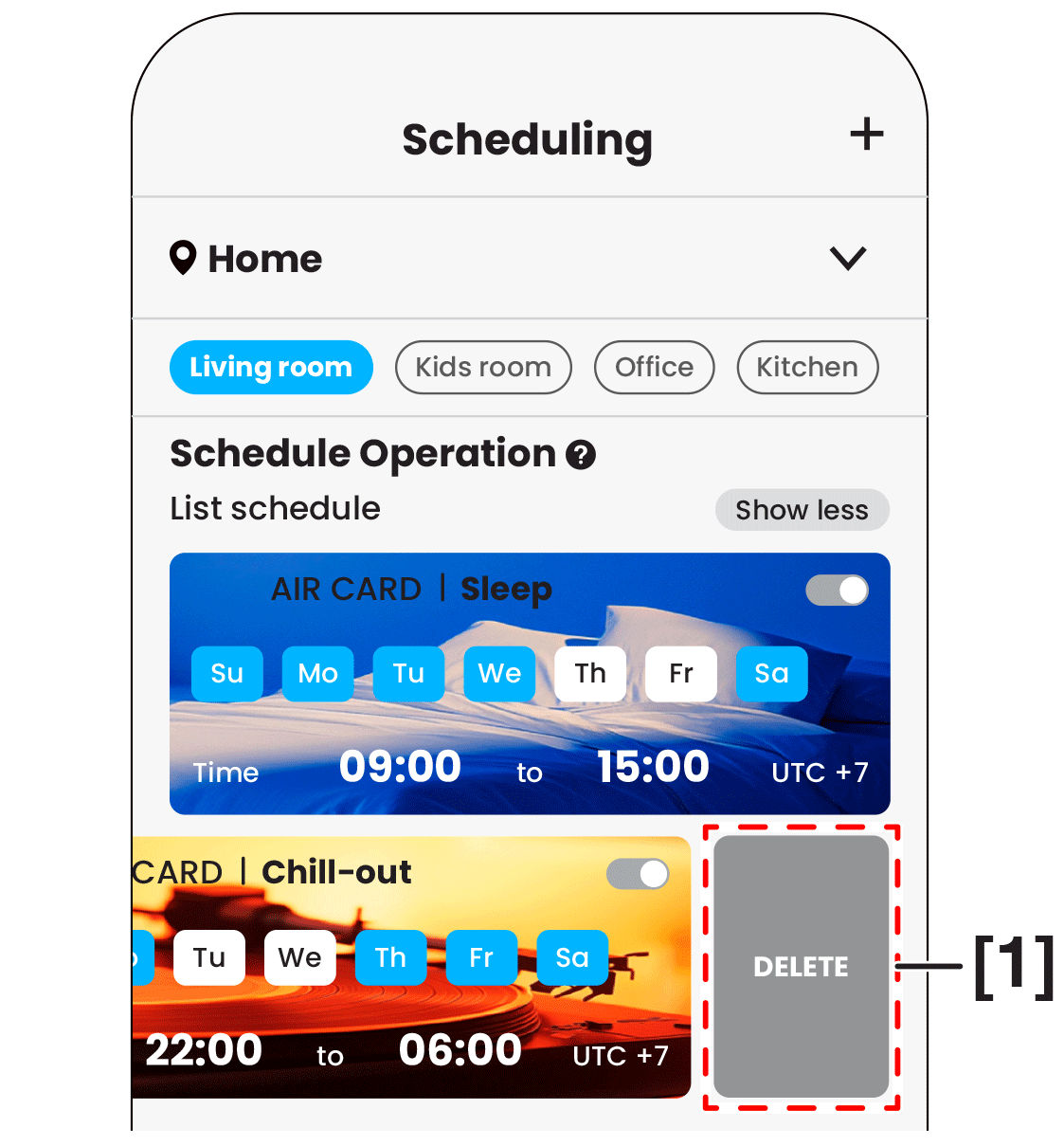
Fig. 12
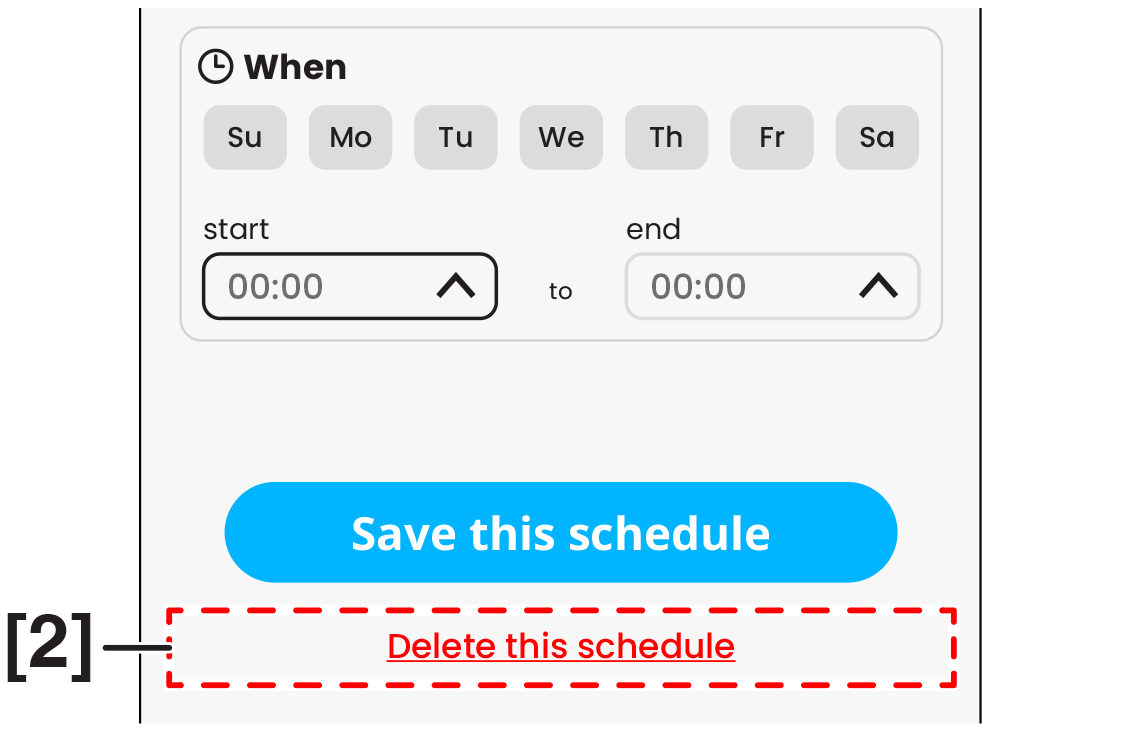
Fig. 13
- The schedule will be delete.
Close
